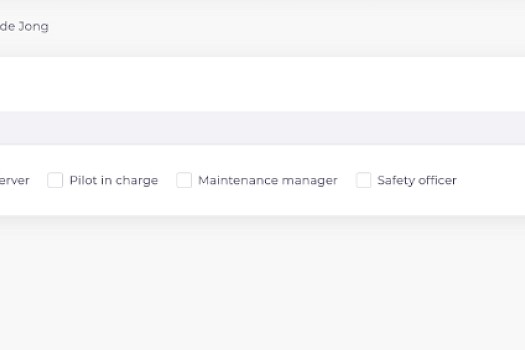
Each user can have one or more roles assigned to them. Every role comes with predefined permission for that particular role.
You also need to assign yourself a role. In most cases this will be operational manager and that will give you full access to your account and team.
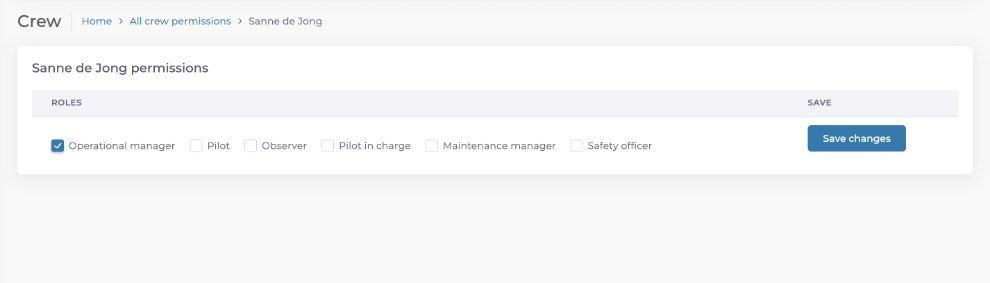
DroneDeck has the following roles.
Operational manager
The operational manager has all permissions.
Operational manager can only be assigned to users with a paid account.
Pilot
A pilot can only see filghtplan where is he part of. A pilot can only change the flightplan status and complete checklists.
Pilot can be assigned to users with a paid or free account.
Pilot in Command
A pilot in command can do everything a pilot can do and edit flightplans.
Pilot in Command can only be assigned to users with a paid account.
Observer
An oberser can only see filghtplan where is he part of. An observer can only change the flightplan status and complete checklists.
Observer can be assigned to users with a paid or free account.
Safety officer
An safety officer can create and edit:
- incidents
- safety meetings
An safety officer can also view:
- flightplans
- insurances
- checklists
- risks
A safety officer can be assigned to users with a paid or free account.
Maintenance manager
A maintenance manger can create and edit:
- drone maintenance
A maintenance manager can view:
- drones
- batteries
- payloads
- maintenance
A maintenance manager can be assigned to users with a paid or free account.
For more information of all functionality between the free and paid account look at or Plan and pricing page.